How it works

Three steps, then it stays out of the way.

Circl is not somewhere you spend time. Setting it up takes a couple of minutes and then it runs quietly in the background.

01Start a space

Name it and share the code.

Invite codes are eight characters and not case sensitive, so reading one out over the phone works. A fresh code is generated each time you open the invite screen, and old ones expire.

  • You own any space you create
  • People who join later cannot see anything from before they arrived
The invite code screen in Circl
02Share your location

With that space, and nowhere else.

Circl reports your position when you have actually moved rather than streaming it continuously, which is why it costs less battery than people expect. Granting location Always is what allows arrivals to fire when the app is closed.
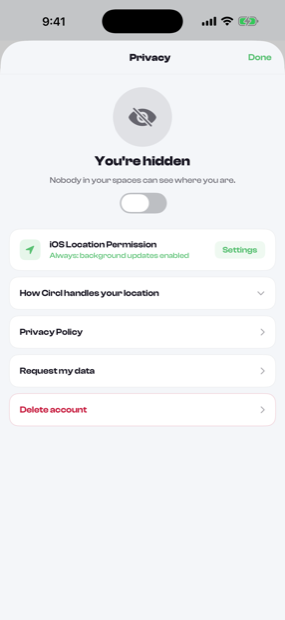
  • Pause for an hour, for three, or until you turn it back on
  • Walking, cycling and driving are recognised automatically
Circl privacy controls, showing sharing paused
03Get on with your day

It speaks up, then stops.

The space can be told when somebody reaches a saved place or leaves one. Beyond that there is nothing to clear, no streak to keep and no reason to open the app unless you want to know something.


  • Low battery alerts, so nobody assumes you are ignoring them
  • Quiet hours each night when the space sends nothing at all
Per place arrival and departure alerts
Early access

Circl is invite only while it is in beta.